
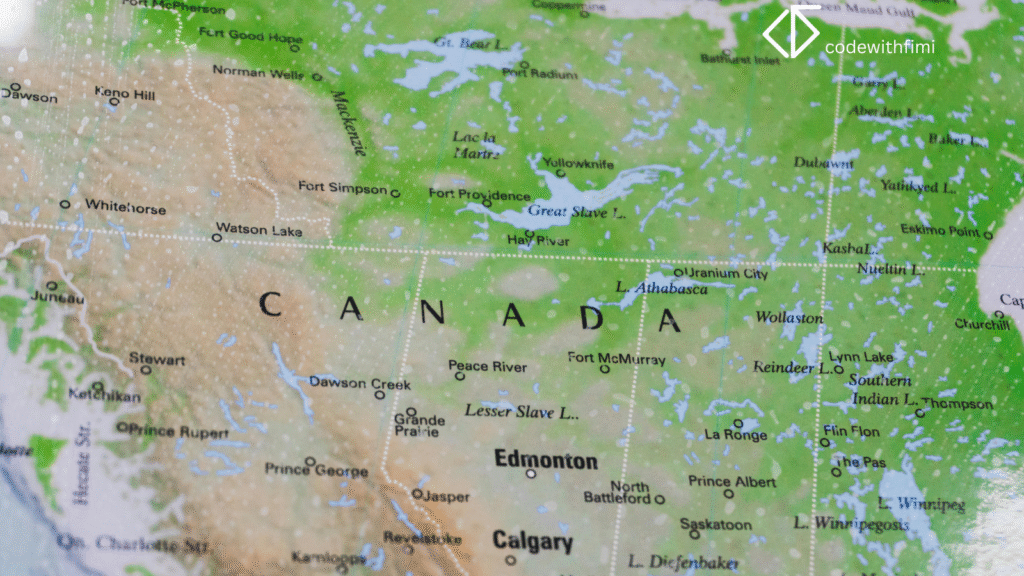
Geographic data is everywhere. From tracking COVID-19 cases to mapping customer locations or visualizing climate change.
But static maps can’t tell the full story. You need interactive maps that bring your data to life.
In this guide, we’ll walk through how to create interactive geographic data maps in Python using libraries like Folium, Plotly, and Geopandas — all free and beginner-friendly.
Why Interactive Maps Matter
Traditional charts and tables often hide spatial relationships.
With interactive maps, you can:
- Explore trends across locations
- Zoom, hover, and click for deeper insights
- Combine multiple layers of geographic data
Whether you’re visualizing store sales or mapping weather patterns, interactive maps make data storytelling intuitive and impactful.
Step 1: Install the Required Python Libraries
You’ll need a few popular Python libraries:
pip install folium geopandas plotly pandas
These will let you handle, analyze, and visualize geographic data effortlessly.
Step 2: Load Your Data
Let’s use world cities dataset as an example dataset asnexample dataset.
import pandas as pd

data = pd.read_csv("https://raw.github.com/datasets/world-cities/master/data/world-cities.csv")
data.head()
This dataset includes city names, countries, and latitude/longitude coordinates which is perfect for mapping.
Step 3: Create a Simple Interactive Map with Folium
import folium

m = folium.Map(location=[20, 0], zoom_start=2)
for i, row in data.iterrows():
    folium.Marker(
        location=[row['latitude'], row['longitude']],
        popup=f"{row['name']}, {row['country']}"
    ).add_to(m)

m.save("world_cities_map.html")
A zoomable, clickable world map displaying every city as an interactive marker.
Step 4: Add Custom Styling and Layers
Make your maps visually appealing and insightful:
folium.TileLayer('cartodb positron').add_to(m)
folium.LayerControl().add_to(m)
You can also use heatmaps or choropleth layers to visualize data intensity.
Step 5: Create an Interactive Choropleth Map with Plotly
Plotly is ideal for advanced interactivity and dashboards.
import plotly.express as px
import geopandas as gpd

world = gpd.read_file(gpd.datasets.get_path('naturalearth_lowres'))
fig = px.choropleth(world,
                    locations='iso_a3',
                    color='pop_est',
                    hover_name='name',
                    title='World Population by Country')
fig.show()
A fully interactive population map where users can zoom, hover, and explore in real-time.
Step 6: Combine Maps with Dash or Streamlit
Take things up a notch by embeding your maps into interactive web apps.
Example with Streamlit:
import streamlit as st
import streamlit_folium

st.title("Interactive City Map")
streamlit_folium.folium_static(m)
Now you have a web dashboard where users can interact with your geographic data instantly.
Use Cases for Interactive Maps
- Visualizing global sales or user activity
- Tracking transportation or delivery data
- Displaying environmental or climate data
- Urban planning or real estate insights
Interactive maps don’t just show data, they tell stories.
FAQs
Which Python library is best for interactive maps?
For beginners, Folium is easiest. For advanced dashboards, Plotly or Dash are more powerful.
2. Can I use my own CSV data?
Yes! As long as your dataset includes latitude and longitude columns, you can plot it.
3. How can I make my map public?
You can deploy it with Streamlit Cloud, Hugging Face Spaces, or export as an HTML file.
4. Can I add multiple datasets to one map?
Yes, use Folium layers or Plotly subplots to overlay multiple data sources.
5. Are these python libraries free to use?
Absolutely. All the tools used in this tutorial are open-source and 100% free.
Creating interactive geographic data maps in Python is one of the most powerful ways to visualize complex information and make it easy to explore.
Whether you’re analyzing business data, population trends, or sensor data — interactive maps can turn numbers into insights people actually understand.
So go ahead, try Folium or Plotly today and give your data a map-worthy upgrade.